Let me start with a confession. In 2024, I thought cloud computing was just for huge companies with bottomless budgets. I ignored it. Big mistake. Then my friend Priya from Pune — she runs a small e‑commerce site — told me she moved her entire business to the cloud and cut her hosting costs by 60%. I felt like I was behind.
So I decided to learn. I tried AWS first. Got lost in the console after 10 minutes. Then Azure — the terminology made my head spin. Finally, Google Cloud. Something clicked. Within a month, I had a virtual machine running, a static website hosted, and a serverless function that emails me when someone fills a form. Impressive. But I also made stupid mistakes — like leaving a VM running for two weeks and getting a bill for ₹8,000. Not a happy moment.
Today, I’ll break down AWS vs Azure vs Google Cloud like we’re having a conversation at a tea stall in Chennai. No jargon. Just real talk from someone who messed up, learned, and now helps friends choose the right cloud. (Check out our beginner's guide to cloud computing first if you're completely new.)
What is cloud computing? (explained simply)
Remember when you had to buy a whole DVD to watch a movie? Now you just rent it on Netflix. Cloud computing is exactly that — you rent computing power (servers, storage, databases) instead of buying expensive hardware.
No more buying servers that sit in a corner, making noise, and breaking down when the power goes. You just click a button, get a virtual machine, and pay only for the hours you use. Great value.
AWS, Azure, and Google Cloud are the three biggest providers for this rental model. They all do similar things — but they’re not the same. Let me tell you how.
One quick story (so you know I'm not just reading from a manual)
Last year, I helped my cousin Ramesh in Madurai move his small hotel booking website from cheap shared hosting to the cloud. His site kept crashing during festival season because of traffic spikes. I chose Google Cloud for him because he needed easy setup and a simple VM. It cost him around ₹1,500/month — less than his electricity bill. No more crashes. He was very happy.
But I also tried to help another friend — he runs a .NET app and uses Microsoft Office 365. I recommended AWS. Bad move. He struggled with the console, the permissions made no sense to him. He moved to Azure and was happy within a week. That’s when I learned: the “best” cloud depends on who you are and what you already use.
AWS, Azure, Google Cloud — at a glance (no fluff)
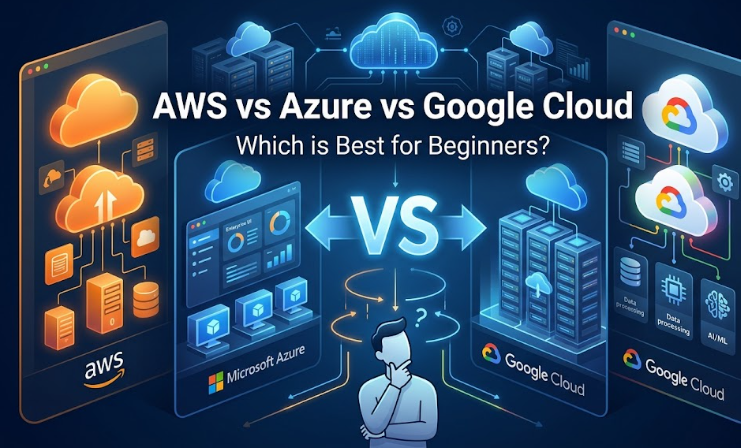
- AWS (Amazon Web Services): Oldest, biggest, most services, most jobs. But overwhelming for beginners. Feels like a giant mall with thousands of shops — you get lost easily.
- Microsoft Azure: Best for people who already live in Microsoft world (Windows, .NET, Office 365). Strong in large enterprises. Some terminology is unusual (“resource groups,” “subscriptions”).
- Google Cloud Platform (GCP): Cleanest user interface, easiest for beginners, excellent for AI/ML and data. Also invented Kubernetes (the container platform everyone uses). Fewer services but the important ones are solid.
Detailed comparison (the stuff you actually care about)
🔹 Ease of learning — which won't make you frustrated?
AWS: Medium difficulty. The console is crowded. You’ll search for “EC2” (their VM service) and wonder why it’s not called “Virtual Machines.” But the documentation is excellent and there are thousands of YouTube tutorials. I spent 2 weeks just understanding IAM roles. Total waste of time initially. But once it clicks, it’s powerful.
Azure: If you know Windows, it feels familiar. The portal is clean-ish. But terms like “resource group” and “management group” confused me. Also, the free tier is generous but you must be careful — I once left a service running and got a ₹2,000 surprise bill. Not fun.
Google Cloud: Easiest for beginners. The console is simple. “Compute Engine” is VMs. “Cloud Storage” is storage. The command line (gcloud) is intuitive. I set up my first VM in 10 minutes without reading a manual. Winner for newcomers.
🔹 Pricing and free tier — how to learn without losing money
AWS: Free tier for 12 months (limited t2.micro instance, 5GB S3). Always free services (Lambda, DynamoDB). But the pricing calculator is complex. I accidentally used a non‑free instance and got a small bill. Set up budget alerts immediately.
Azure: $200 credit for first month + 12 months free for some services. I like the “Azure Cost Management” tool — it helps track spending. But again, easy to go over if you're not careful.
Google Cloud: $300 free credits for 90 days + always free tier (small VM, storage, BigQuery). This is the most generous for experimenting. You can run a decent VM for months. I used my credits to learn Kubernetes and it didn’t cost a rupee. Best for learning.
My advice: Start with Google Cloud’s $300 credit. Build a few projects. Then try AWS free tier. You won’t lose money if you set alerts.
🔹 Services — who has what?
- Compute (VMs): All three have it. AWS EC2 is the industry standard. Azure Virtual Machines are fine. Google Compute Engine is simple and fast.
- Storage: AWS S3 is the king. Azure Blob Storage and Google Cloud Storage are equally good. I’ve used all three — for a beginner, they’re similar.
- AI/ML: Google Cloud wins here. Vertex AI, BigQuery ML, and TensorFlow integration are excellent. AWS SageMaker is also powerful but has a steeper learning curve. Azure ML is good for drag‑and‑drop. (Learn machine learning basics before diving into cloud ML tools.)
- Serverless: AWS Lambda started it all. Azure Functions and Google Cloud Functions are catching up. For simple event‑driven tasks, any works.
- Kubernetes: Google Cloud (GKE) is the best — they invented Kubernetes. AWS (EKS) and Azure (AKS) are fine but not as polished.
🔹 Job opportunities — where the money is
AWS has the most job listings. If you want maximum employability, learn AWS. Azure is huge in large Indian companies (TCS, Infosys, Wipro) that work with Microsoft stacks. Google Cloud is growing fast, especially in data engineering, AI, and startups.
But here’s the truth: once you learn one cloud, switching to another takes 2‑3 weeks. Core concepts (VMs, storage, networking, IAM) are the same. So don't stress too much about picking the “wrong” one.
Pros and cons (my personal experience)
AWS pros: Huge community, endless tutorials, most employers want it. Cons: Overwhelming, easy to make costly mistakes, less intuitive console.
Azure pros: Great if you use Microsoft tools, strong hybrid options. Cons: Unusual terminology, less friendly for open‑source users.
Google Cloud pros: Clean, simple, excellent AI/ML tools, best Kubernetes. Cons: Fewer services, smaller job market (but growing).
Which one should you choose? (decision flow)
- If you want the safest career path: AWS.
- If you work in a Microsoft shop or love .NET: Azure.
- If you're into AI, data, or just want an easy start: Google Cloud.
For absolute beginners, I recommend Google Cloud. The free credits, clean interface, and straightforward documentation will get you building quickly. You won’t feel lost. And once you’re comfortable, you can easily learn AWS or Azure because the concepts transfer.
My learning roadmap (what actually worked)
- Understand basics: what’s a VM, object storage, IAM — watch free YouTube videos (2 days).
- Pick Google Cloud. Sign up for $300 credit.
- Do the “Google Cloud Skills Boost” labs (free tier). They give you hands‑on experience.
- Build a static website hosted on Cloud Storage. Cost? ₹0 within free tier.
- Create a VM, install Nginx, deploy a simple HTML page. (I did this and felt like a professional.)
- Write a Cloud Function that triggers on file upload (sends you a notification).
- Then move to AWS. Do their “Cloud Practitioner” labs.
I did this in 2 months, spending about 5 hours a week. Now I can confidently help small businesses choose a cloud platform.
Certifications — do you need them?
Not strictly, but they help. AWS Cloud Practitioner is a good start. Azure AZ‑900 is also beginner‑friendly. Google Cloud Digital Leader is easier than the Associate Cloud Engineer. I passed the AWS Cloud Practitioner after 2 months of study — mostly using free resources and the official exam guide.
But here’s the truth: a certification without a project is useless. I’ve interviewed people with certificates who couldn’t explain how to restart a VM. Build something real. Then get the cert.
Future of cloud (2026 and beyond)
Cloud is not going anywhere. AI is making cloud even more important — you need computing power to run models. Serverless is becoming the default. And multi‑cloud is common — companies use AWS for some things, Azure for others.
So don’t worry about picking the “perfect” cloud. Pick one, learn it, then learn another. The skill is in understanding concepts, not memorizing button locations. (Serverless vs traditional architecture is worth understanding too.)
Final verdict (no exaggeration)
Start with Google Cloud if you’re a beginner. It’s the least painful. Use the $300 credit to build 3‑4 small projects. Then try AWS to see what the attention is about. By the end of 6 months, you’ll have marketable skills and you won’t have spent much money (maybe ₹0 if you're careful).
Written by FinlyInsights Team
Practical business & tech insights for modern India
We help entrepreneurs, freelancers, and professionals navigate digital transformation, AI adoption, and business growth. Our guides are based on real experiments — not theory. Join our growing community of readers.
FAQ (short and useful)
1. Can I learn multiple clouds at once?
No, don’t. Focus on one for 3‑4 months. Then switch. Concepts transfer.
2. Which cloud has the easiest free tier?
Google Cloud’s $300 credit. No contest. Just set up billing alerts.
3. Is Azure only for Windows developers?
No, it supports Linux and everything. But its best features are for Microsoft users.
4. Do I need a certification to get a cloud job?
Not strictly. Projects matter more. But a cert helps you get past initial screening.
5. Which cloud is best for AI/ML?
Google Cloud. Vertex AI, BigQuery ML, and TensorFlow integration are ahead.
6. I have no money. Can I still learn cloud?
Yes. Use free tiers, Qwiklabs free credits, and YouTube. I spent ₹0 in my first 3 months.