Let me be honest. When I first heard "cloud computing", I thought it was some magical, complicated thing that only big tech companies could use. Then my website crashed during a sale, and my hosting provider said "you need cloud hosting". I had no clue what that meant. I felt lost.
But here's the truth: cloud computing is not magic. It's just renting someone else's computers over the internet. And in 2026, understanding the basics of cloud computing – and the differences between AWS, Azure, and Google Cloud – is essential for anyone building a website, an app, or an online business.
This guide explains cloud computing from scratch, then compares the three major providers. No jargon. No assumptions. Just what you need to know to make an informed choice. (Check out our cloud computing basics guide first if you're completely new.)
What is cloud computing? (explained simply)
Cloud computing means using someone else's computers over the internet to store, manage, or process your data. Instead of buying your own expensive servers, you rent computing power from big companies like Amazon, Microsoft, or Google.
Think of it like renting a truck instead of buying one. Need to move furniture? Rent a truck for a day. Costs little. No maintenance. When you're done, return it. Cloud computing is the same – rent computing power when you need it, pay only for what you use.
Everyday examples you already use:
- Google Drive: Your files are stored in the cloud, not on your phone.
- Netflix: Movies are streamed from the cloud, not downloaded.
- Gmail: Your emails live in the cloud – that's why you can log in from any device and see everything.
If you've used any of these, you've already used cloud computing. You just didn't know it.
Why should you care about cloud computing?
- Cost savings: No buying expensive hardware. Pay as you go. Startups save lakhs.
- Scalability: Your business grows? Click a button, add more power. No waiting for hardware deliveries.
- Reliability: Cloud providers back up your data across multiple locations. If one server fails, another takes over.
- Access from anywhere: As long as you have internet, you can access your data and applications.
I learned this after my website crashed during a Diwali sale. I moved to a cloud provider, and now it automatically scales when traffic spikes. No more crashes. (Serverless vs traditional architecture is a related concept worth understanding.)
The three types of cloud services (SaaS, PaaS, IaaS)
Before comparing providers, understand the service models. They determine how much control you have.
SaaS (Software as a Service): You just use an app. The provider handles everything. Examples: Gmail, Google Drive, Zoom. This is what most normal people use.
PaaS (Platform as a Service): For developers who want to build apps without managing servers. Example: Google App Engine, Heroku. You write code, the platform runs it.
IaaS (Infrastructure as a Service): You rent raw computing power – virtual servers, storage, networking. You manage everything else. Example: AWS EC2, Google Compute Engine. Most control, most responsibility.
As a beginner, you'll likely start with IaaS (renting a virtual server) or SaaS (using existing apps). Don't worry about PaaS until you're building applications.
AWS vs Azure vs Google Cloud: The big three at a glance
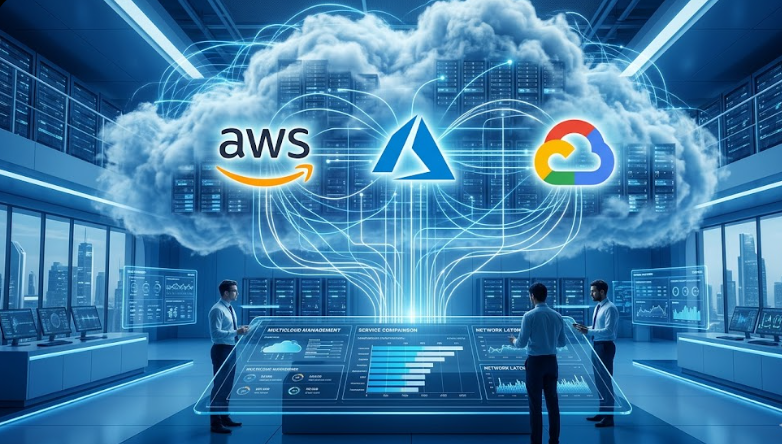
These three providers dominate the cloud market. They all offer similar core services, but with different strengths and weaknesses.
- AWS (Amazon Web Services): Oldest, largest market share, most services. Used by Netflix, Airbnb, and millions of others. Can be overwhelming for beginners.
- Microsoft Azure: Best for companies that already use Microsoft products (Windows, Office 365, .NET). Very popular in large Indian enterprises (TCS, Infosys, Wipro).
- Google Cloud Platform (GCP): Runs on the same infrastructure as Google Search and YouTube. Easiest user interface for beginners. Excellent for AI, machine learning, and data analytics.
Detailed comparison (what you actually care about)
1. Ease of learning – which won't make you cry?
AWS: Medium difficulty. The console is crowded with hundreds of services. You'll search for "EC2" (their virtual machine service) and wonder why it's not called "Virtual Machines". But documentation is excellent, and there are thousands of YouTube tutorials. I spent 2 weeks just understanding IAM permissions. Once it clicks, it's powerful.
Azure: If you know Windows, it feels familiar. The portal is clean-ish. But terms like "resource groups" and "management groups" confused me. Also, the free tier is generous but you must be careful with costs.
Google Cloud: Easiest for beginners. The console is simple and intuitive. "Compute Engine" is VMs. "Cloud Storage" is storage. The command line tools are straightforward. I set up my first virtual machine in 10 minutes without reading a manual. Winner for newcomers.
2. Pricing and free tier – how to learn without losing money
AWS: Free tier for 12 months (limited t2.micro instance, 5GB S3 storage). Always free services (Lambda, DynamoDB). Pricing calculator is complex. Set up budget alerts immediately – I once left a service running and got a ₹2,000 surprise bill.
Azure: $200 credit for the first month + 12 months free for some services. Has good cost management tools. Still easy to go over if you're not careful.
Google Cloud: $300 free credits for 90 days + always free tier (small VM, storage, BigQuery). This is the most generous for experimenting. You can run a decent virtual machine for months without paying. I used my credits to learn Kubernetes and it didn't cost a rupee. Best for learning.
3. Core services – what each provider calls things
| Service type | AWS | Azure | Google Cloud |
|---|---|---|---|
| Virtual machines | EC2 | Virtual Machines | Compute Engine |
| Object storage | S3 | Blob Storage | Cloud Storage |
| Serverless functions | Lambda | Functions | Cloud Functions |
| Databases | RDS, DynamoDB | SQL Database, Cosmos DB | Cloud SQL, Firestore |
| AI/ML | SageMaker | Azure Machine Learning | Vertex AI, BigQuery ML |
4. Job opportunities – where the money is in India
AWS: Most job listings. If you want maximum employability, learn AWS. Startups and tech companies prefer AWS.
Azure: Huge in large Indian service companies (TCS, Infosys, Wipro, HCL) that work with Microsoft stacks. Also strong in enterprises that use Office 365 and Windows.
Google Cloud: Growing fast, especially in data engineering, AI/ML, and startups. Fewer jobs than AWS but increasing.
Key insight: Once you learn one cloud, switching to another takes 2‑3 weeks. Core concepts (VMs, storage, networking, IAM) are the same. Don't stress too much about picking the "wrong" one. (Machine learning basics often require cloud computing knowledge.)
Which cloud should a beginner choose? (decision guide)
- Choose AWS if: You want the most job opportunities, you're building a startup, or you want the industry standard.
- Choose Azure if: Your company already uses Microsoft products, you're in a large Indian enterprise, or you love .NET and Windows.
- Choose Google Cloud if: You're a complete beginner, you're into AI/data science, or you want the easiest learning experience.
My recommendation for absolute beginners: Start with Google Cloud. The $300 free credits, clean interface, and straightforward documentation will get you building quickly. You won't feel lost. After 3‑4 months, try AWS to see what the attention is about. You'll be able to transfer 80% of your knowledge.
Step‑by‑step: How to start with any cloud (free)
- Sign up for a free account. Google Cloud ($300 credit), AWS (12 months free tier), or Azure ($200 credit). Use a credit card for verification – you won't be charged if you stay within free limits.
- Set up billing alerts. This is critical. Set alerts at ₹100, ₹500, ₹1,000. I learned this after a ₹5,000 mistake. Don't be me.
- Create your first virtual machine. Follow the provider's "quickstart" tutorial. Name it "test-vm". Choose the smallest machine type (free tier eligible).
- Connect to the VM via SSH. Install a web server (like Nginx) using a few commands. You'll see a "Welcome to Nginx" page. That's your first cloud‑hosted website.
- Terminate (delete) the VM when done. Many beginners forget this and get bills. Always clean up.
- Try object storage. Upload a file to S3 (AWS), Blob Storage (Azure), or Cloud Storage (GCP). Make it publicly accessible. Share the link.
- Try a serverless function. Write a simple function that returns "Hello World" when triggered by an HTTP request. This is how modern apps are built.
Complete these 7 steps over a weekend. You'll understand 80% of what you need to know about cloud computing. (Serverless vs traditional will make more sense after this.)
Common beginner mistakes (and how to avoid them)
- Leaving resources running: I left a VM running for a month. Bill: ₹5,000. Always delete resources when done. Use tags to track what's temporary.
- No budget alerts: Set them up on day one. AWS, Azure, and GCP all have free alerting.
- Using the wrong region: Choose a region close to your users (e.g., Mumbai for Indian users). Some regions are cheaper than others.
- Ignoring the free tier limits: Read the free tier documentation. Some services are free only for certain amounts. Exceeding limits costs money.
- Trying to learn everything at once: Cloud providers have hundreds of services. Focus on the basics: compute (VMs), storage, networking. Add services as you need them.
Real example: A small business moving to the cloud
I helped a friend who runs a small e‑commerce store for handmade soaps. He was on cheap shared hosting. His site crashed every time he ran a Facebook ad (traffic spikes).
Solution: We moved his site to Google Cloud Run (a serverless container platform). It automatically scales from zero to hundreds of instances based on traffic. Cost: about ₹500/month for his traffic level – cheaper than his previous hosting. No more crashes. He now runs ads without fear.
He didn't need to learn complex cloud management. Just deployed his site as a container, and Google Cloud handled the rest. That's the power of modern cloud platforms.
Cloud certifications – do you need them?
Not strictly, but they help. For beginners, consider:
- AWS Cloud Practitioner: Foundational. Costs $100 (₹8,500). Many free study resources.
- Azure AZ‑900: Microsoft's fundamentals certification. Similar difficulty.
- Google Cloud Digital Leader: Easiest of the three. Focuses on concepts, not technical details.
However, a certification without a project is useless. I've interviewed people with certificates who couldn't explain how to restart a VM. Build something real first (like the steps above). Then get the cert if your employer pays or if you need it for a job application.
Future of cloud computing (2026 and beyond)
- AI integration: Cloud providers are deeply integrating AI into their platforms. You'll be able to add AI features (chatbots, recommendations, image recognition) with a few clicks.
- Serverless dominance: More developers will use serverless functions and containers instead of managing virtual machines. It's simpler and cheaper for many workloads.
- Multi‑cloud and hybrid: Companies use multiple clouds to avoid vendor lock‑in. Learning one cloud well, then a second, is a valuable skill.
- Edge computing: Processing data closer to users (e.g., in local data centers) for faster response times. This is growing in India with better internet infrastructure.
Cloud computing is not going away. Learning it now is like learning email in the 1990s. You'll thank yourself later. (AI is transforming businesses – and cloud is the foundation.)
Final verdict (no exaggeration)
Cloud computing is just renting computers over the internet. AWS, Azure, and Google Cloud are the three main landlords. For beginners, Google Cloud offers the gentlest learning curve and most generous free credits. AWS has the most jobs. Azure is best for Microsoft shops.
Your action step this week: sign up for a free Google Cloud account. Claim your $300 credit. Set up billing alerts. Launch a virtual machine. Then delete it. That one hour of practice will teach you more than reading 10 articles.
Written by FinlyInsights Team
Practical business & tech insights for modern India
We help entrepreneurs, freelancers, and professionals navigate digital transformation, AI adoption, and business growth. Our guides are based on real experiments — not theory. Join our growing community of readers.
FAQ — Cloud computing for beginners
1. Is cloud computing expensive for a small business?
No. For a small website or app, you can pay ₹500‑₹2,000/month using free tiers and low‑cost services. Many businesses start with the free tier and only pay when they grow. My friend's e‑commerce site costs ₹500/month on Google Cloud Run.
2. Which cloud is best for hosting a website?
For a simple website, any cloud works. Google Cloud Run or AWS Lightsail are beginner‑friendly. For WordPress, many prefer AWS or Google Cloud with pre‑configured images. Avoid managing a virtual machine if you just need a simple site – use a managed WordPress host instead.
3. Do I need to know coding to use cloud services?
Not for basic tasks (launching a VM, storing files). For advanced tasks (serverless functions, custom apps), you'll need basic scripting or programming. But many cloud services have graphical interfaces and templates that require no code.
4. Can I switch cloud providers later?
Yes, but it takes effort. Moving data and reconfiguring services is not automatic. That's why choosing a provider matters. Start with Google Cloud to learn, then if you get a job requiring AWS, you can learn AWS in a few weeks.
5. What's the difference between cloud hosting and regular hosting?
Regular hosting (like shared hosting) gives you a fixed amount of resources on a single server. If traffic spikes, your site crashes. Cloud hosting automatically adds resources when needed. You pay for what you use. It's more reliable and scalable.
6. I'm scared of unexpected cloud bills. What should I do?
Set up budget alerts immediately. Most providers let you set alerts at multiple thresholds (₹100, ₹500, ₹1,000). Also, use the pricing calculator before launching resources. Start with free tier only. Delete resources when not in use. I learned these lessons after a ₹5,000 mistake.