Let me ask you something. Have you ever used Google Drive? Watched a movie on Netflix? Or joined a Zoom call? If yes — congratulations, you've already used the cloud. You just didn't know it.
But here's a question that bothered me for years: Where does all that data actually live? It's not inside your phone. It's not in your laptop. It's somewhere else — in big buildings called data centers. But let me start from the beginning.
I remember the first time someone said "cloud computing" to me. I was at a friend's house in Velachery. He runs a small web design business. He said, "I moved everything to the cloud." I nodded like I understood. I didn't. I went home and searched online. Got lost in jargon. Gave up.
Then my own website crashed during a festival sale. The hosting company said "you need cloud hosting." I had no clue. I made stupid mistakes. Lost money. Felt frustrated. But now? I get it. And I'll explain it to you like we're having a conversation at a local shop. (Here's our complete beginner's guide to cloud computing — but let's keep it simple.)
What is cloud computing? (simple enough for anyone)
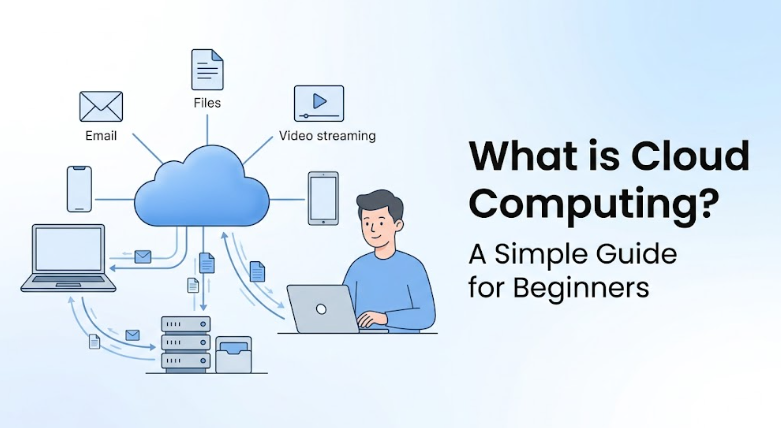
Cloud computing is using someone else's computers over the internet to store, manage, or process your data. Instead of buying your own hard drive or server, you rent space and computing power from big companies like Amazon, Microsoft, or Google.
Think of it like renting a truck instead of buying one. Need to move furniture? Rent a truck for a day. Costs little. No maintenance. When you're done, return it. That's the cloud — rent computing power when you need it, pay only for what you use.
Let me give you a real example from my life. I used to keep all my client files on an external hard drive. One day, the drive fell from my desk. Dead. Everything gone. I was devastated. Then I moved to Google Drive. Now my files are in the cloud. If my laptop falls into the ocean (unlikely, but still), my files are safe. Lesson learned the hard way.
How does cloud computing work? (no technical jargon)
- Big companies build massive buildings called data centers. Inside: thousands of computers, stacked like books.
- They connect these data centers to the internet.
- When you upload a photo to Google Drive, it travels over the internet to one of those computers and gets stored there.
- When you want it back, your phone asks for it, and the data center sends it.
You don't need to know which computer holds your file. You just know it's "in the cloud." The provider handles backups, security, and uptime. Not magic — just smart engineering.
Types of cloud (public, private, hybrid — not as boring as it sounds)
Public cloud: Most common. You share the infrastructure with other customers, but your data is separate. Like a public library — everyone uses it, but your borrowed books are yours. Examples: Google Drive, Dropbox, Netflix.
Private cloud: A dedicated cloud for one company. Like having your own private library. Banks, hospitals, and large enterprises use this for security.
Hybrid cloud: Mix of both. Keep sensitive information in private cloud, use public cloud for everything else. Many companies do this.
Honestly, as a beginner, you only need to know public cloud. That's what you use daily. Don't overcomplicate.
Service models (SaaS, PaaS, IaaS — the alphabet soup)
These sound scary but they're just different levels of "how much control you want."
SaaS (Software as a Service): You just use an app. The provider handles everything else. Gmail, Netflix, Zoom. You don't care where the servers are. You just open the app and it works. This is 99% of what normal people use.
PaaS (Platform as a Service): For developers who want to build apps without managing servers. Like renting a kitchen to cook your own meal. Example: Google App Engine, Heroku.
IaaS (Infrastructure as a Service): You rent raw computing power — virtual servers, storage, networking. You manage everything else. Like renting an empty warehouse and setting up your own shelves. Example: AWS EC2, Google Compute Engine.
I tried IaaS when I was a beginner. Wasted money. Didn't understand networking. Stick to SaaS first. Then learn PaaS. Then maybe IaaS if you're serious.
Real-life examples (you use these every day)
- Google Drive / iCloud / Dropbox: Cloud storage. Your files, anywhere.
- Netflix: Streaming from the cloud. You don't download movies (usually).
- Zoom / Google Meet: Video calls routed through cloud servers.
- Gmail / Outlook: Your emails live in the cloud. That's why you can log in from any device and see everything.
- Spotify: Music streamed from the cloud.
I once explained this to my uncle who runs a small grocery shop in Madurai. He said, "So it's like keeping my accounts in a locker that I can open from anywhere." Yes. Exactly. He understood it faster than some tech graduates I know.
Benefits (why everyone loves the cloud)
- Access from anywhere: As long as you have internet. Work from home, from a café, from anywhere.
- Cost savings: No buying expensive servers, no electricity bills for running them. Pay as you go.
- Scalability: Your business grows? Click a button, add more power. No waiting for hardware deliveries.
- Automatic backups: Cloud providers back up your data. You don't have to remember to do it.
- Collaboration: Multiple people editing the same Google Doc in real time. No more "final_v2_FINAL_actuallyfinal.docx" emails.
The collaboration feature alone is worth it. My wife and I plan our grocery list on a shared Google Sheet. No more arguments over who forgot to buy milk.
Disadvantages (honest talk)
- Need internet: No internet, no cloud. Offline access exists but limited.
- Privacy concerns: Your data is on someone else's computers. Reputable providers are secure, but still, don't upload sensitive documents to random free cloud services.
- Downtime happens: Even Google and AWS have outages. Rare, but they happen.
- Costs can creep up: If you're not careful, your monthly bill can surprise you. I once left a virtual machine running for a month — got a ₹5,000 bill. Not a pleasant surprise.
Cloud for businesses (why companies are obsessed)
- Startups: Launch apps without spending lakhs on servers. Pay as you grow.
- Retailers: During festival sales, traffic spikes. Cloud automatically adds more power, then scales down. No crashes.
- Hospitals: Store patient records securely, accessible to doctors from anywhere.
- Schools: Google Classroom, Microsoft Teams — all cloud.
I helped a small Chennai‑based bakery move their website to the cloud. Their old hosting would crash every Sunday because of orders. After moving to a simple cloud VM, no crashes. The owner said, "I can finally sleep peacefully at night." That's the power of cloud.
Popular cloud providers (the big three)
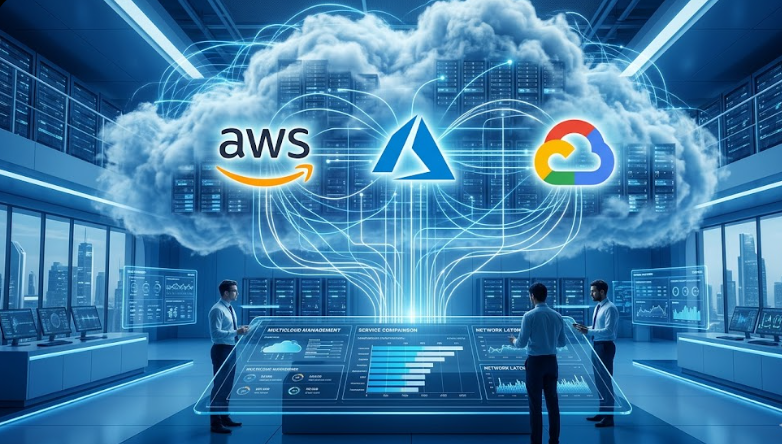
- AWS (Amazon Web Services): Market leader. Used by Netflix, Airbnb, and millions more. Huge, but complex for beginners. (Compare AWS vs Azure vs Google Cloud to decide.)
- Microsoft Azure: Great for companies that use Windows, Office 365, .NET. Very enterprise‑friendly.
- Google Cloud: Runs on same infrastructure as Google Search and YouTube. Excellent for data and AI. Easiest interface for beginners.
Which one should you learn? If you want a job, AWS. If you love Microsoft, Azure. If you're into AI or just want an easy start, Google Cloud. I started with Google Cloud. No regrets.
Is cloud computing safe?
Short answer: Yes, often safer than your own computer.
Cloud providers have teams of security experts, 24/7 guards at data centers, biometric access, encryption. They also back up your data multiple times. Can your personal laptop say that? Probably not.
But security also depends on you. Use strong passwords. Turn on two‑factor authentication. Don't share your login with strangers. Be smart.
How to start (beginner roadmap, no fear)
- Free personal cloud: Create a Google account. Use Google Drive (15 GB free). Upload some photos. Access from phone and laptop. Feel the magic.
- Try a cloud app: Open Google Docs. Create a document. Share it with a friend. Both edit at the same time. That's the power of cloud collaboration.
- Free cloud provider tier: Sign up for Google Cloud free trial ($300 credit). Follow their tutorial to create a virtual machine. Don't worry, it won't cost if you stop it after.
- Build something small: Host a simple "Hello World" website on Google Cloud Storage. Cost? ₹0 within free tier.
I did exactly this. In one weekend. And I'm not a developer. If I can, you can.
Future of cloud (what's coming)
- AI + Cloud: ChatGPT runs in the cloud. Most AI tools will.
- Remote work: Cloud made working from home possible. It's here to stay.
- Edge computing: Processing data closer to you (faster). Cloud is expanding to the edge.
- Serverless: Run code without thinking about servers. Even easier for developers. (Serverless vs traditional architecture explains this.)
Basically, cloud is not going anywhere. Learning about it now is like learning email in the 90s. You'll thank yourself later.
Final verdict (no exaggeration)
The cloud is not magic. It's just computers somewhere else, rented to you over the internet. It powers your favorite apps, saves your photos, and helps businesses grow. You already use it. Now you understand it.
Your next step? Open Google Drive. Upload something. Share it with a friend. That's it. You're a cloud user. Then, if you want to go deeper, sign up for a free cloud trial and launch a virtual machine. Just remember to turn it off — or your wallet will be unhappy.
Written by FinlyInsights Team
Practical business & tech insights for modern India
We help entrepreneurs, freelancers, and professionals navigate digital transformation, AI adoption, and business growth. Our guides are based on real experiments — not theory. Join our growing community of readers.
FAQ (real questions from confused people)
1. Is cloud computing the same as the internet?
No. The internet is the road. Cloud computing is the delivery truck that drives on the road. Different things.
2. Can I lose my data if the cloud provider goes out of business?
For Google, Amazon, Microsoft — extremely unlikely. But always keep a local backup of your most important files. Don't put all your data in one cloud basket.
3. Do I have to pay for cloud storage?
Free tiers exist (15 GB Google Drive, 5 GB iCloud). For most people, that's enough. If you need more, it's affordable — ₹130/month for 100 GB on Google Drive.
4. How is cloud different from an external hard drive?
Hard drive: you own it, but you can only access files when you're near it. Cloud: you can access from anywhere, and it auto‑backs up. Hard drives can fail. Cloud is more reliable.
5. Is cloud only for big companies?
No. You, your family, your neighbor, a small shop — everyone uses it. Google Drive is cloud. WhatsApp backups are cloud. It's for everyone.
6. I'm worried about unexpected cloud bills. Any advice?
Yes. Set up budget alerts. Google Cloud, AWS, Azure all have billing alarms. Also, always stop or delete resources when you're done experimenting. I learned this after a ₹5,000 mistake. Don't repeat my error.