The Problem (The “Why”)
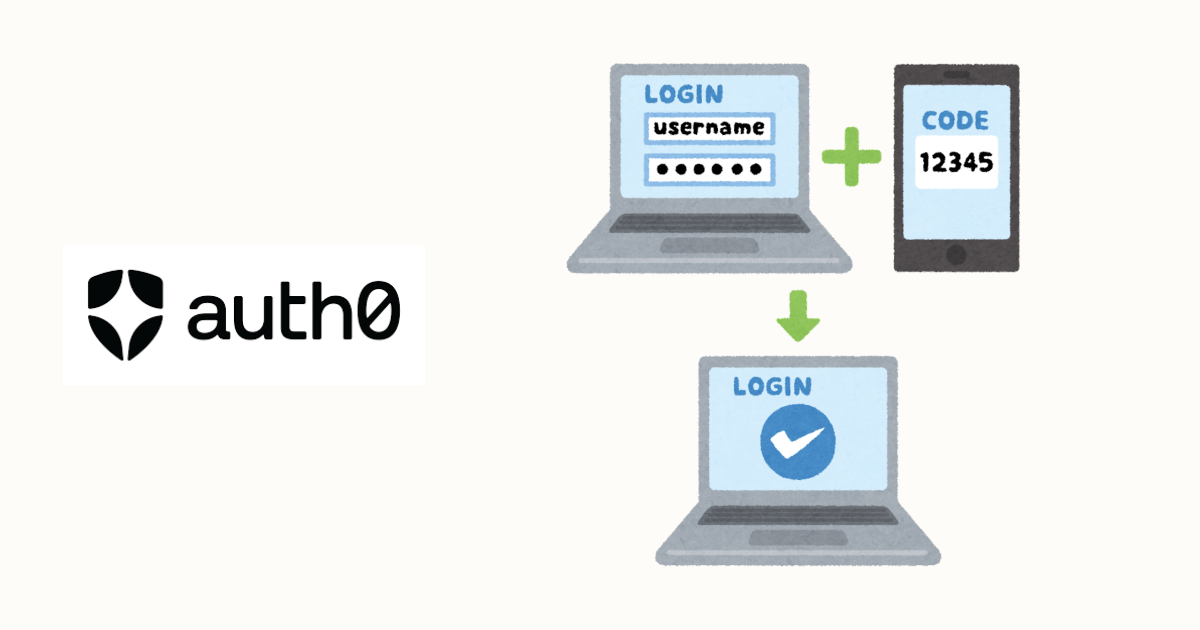
Multi-factor authentication (MFA) is no longer optional for production applications—it’s a security requirement. Users need protection beyond passwords, which are easily compromised through phishing, breaches, or weak choices. However, implementing MFA from scratch means building TOTP generation, SMS delivery, backup code management, device trust systems, and recovery flows—a months-long project fraught with security pitfalls. Auth0 provides enterprise-grade MFA but requires careful integration with Next.js authentication flows. NextAuth simplifies OAuth but doesn’t natively handle Auth0’s MFA challenge responses. The core problem: you need to bridge NextAuth’s session management with Auth0’s MFA enforcement, handle step-up authentication for sensitive actions, support multiple MFA methods (authenticator apps, SMS, email), and gracefully manage MFA enrollment flows—all while maintaining a seamless user experience that doesn’t break on token refresh or SSR/client-side transitions.
Tech Stack & Prerequisites
- Node.js v20+ and npm/pnpm
- Next.js 14+ (App Router)
- TypeScript 5+
- Auth0 Account with MFA enabled
- next-auth v5 (NextAuth.js)
- @auth0/nextjs-auth0 v3.5+ (alternative approach)
- jose v5+ for JWT handling
- zod v3+ for validation
- React v18+
- Tailwind CSS v3+ (for UI examples)
Step-by-Step Implementation
Step 1: Setup
Initialize your Next.js project:
npx create-next-app@latest auth0-mfa-nextauth --typescript --app --tailwind
cd auth0-mfa-nextauth
npm install next-auth@beta @auth0/nextjs-auth0 jose zod
npm install -D @types/node
Create project structure:
mkdir -p app/api/auth/[...nextauth] app/dashboard app/components lib/auth
touch app/api/auth/[...nextauth]/route.ts lib/auth/auth.config.ts lib/auth/auth0.ts app/components/MFASetup.tsx
Step 2: Configuration
2.1: Set Up Auth0 Application
- Go to Auth0 Dashboard
- Create a new application (Regular Web Application)
- Configure settings:
- Allowed Callback URLs:
http://localhost:3000/api/auth/callback/auth0 - Allowed Logout URLs:
http://localhost:3000 - Allowed Web Origins:
http://localhost:3000
- Allowed Callback URLs:
- Enable MFA:
- Go to Security → Multi-factor Auth
- Enable “One-time Password” (TOTP)
- Enable “SMS” (optional)
- Choose enforcement: “Always” or “Adaptive”
- Copy credentials:
- Domain
- Client ID
- Client Secret
2.2: Configure Environment Variables
Create .env.local file:
# .env.local

# Auth0 Configuration
AUTH0_ISSUER_BASE_URL=https://your-tenant.auth0.com
AUTH0_CLIENT_ID=your_auth0_client_id
AUTH0_CLIENT_SECRET=your_auth0_client_secret
AUTH0_AUDIENCE=https://your-tenant.auth0.com/api/v2/

# NextAuth Configuration
NEXTAUTH_URL=http://localhost:3000
NEXTAUTH_SECRET=your_random_secret_key_generate_with_openssl

# Auth0 Management API (for MFA management)
AUTH0_DOMAIN=your-tenant.auth0.com
AUTH0_MANAGEMENT_CLIENT_ID=your_m2m_client_id
AUTH0_MANAGEMENT_CLIENT_SECRET=your_m2m_client_secret
Generate NextAuth secret:
openssl rand -base64 32Add to .gitignore:
echo ".env.local" >> .gitignore2.3: Create Auth0 Management API Client
- In Auth0 Dashboard → Applications → APIs
- Create Machine-to-Machine Application
- Authorize for Auth0 Management API
- Grant scopes:
read:usersupdate:usersread:authenticatorsdelete:authenticatorscreate:guardian_enrollment_tickets
Step 3: Core Logic
3.1: Auth0 Client
Create lib/auth/auth0.ts:
// lib/auth/auth0.ts
import { ManagementClient } from 'auth0';

if (!process.env.AUTH0_DOMAIN || !process.env.AUTH0_MANAGEMENT_CLIENT_ID || !process.env.AUTH0_MANAGEMENT_CLIENT_SECRET) {
  throw new Error('Missing Auth0 Management API credentials');
}

export const auth0Management = new ManagementClient({
  domain: process.env.AUTH0_DOMAIN,
  clientId: process.env.AUTH0_MANAGEMENT_CLIENT_ID,
  clientSecret: process.env.AUTH0_MANAGEMENT_CLIENT_SECRET,
  scope: 'read:users update:users read:authenticators delete:authenticators create:guardian_enrollment_tickets',
});

/**
 * Get user's MFA enrollments
 */
export async function getUserMFAEnrollments(userId: string) {
  try {
    const enrollments = await auth0Management.users.getGuardianEnrollments({ id: userId });
    return enrollments.data;
  } catch (error) {
    console.error('Error fetching MFA enrollments:', error);
    return [];
  }
}

/**
 * Check if user has MFA enabled
 */
export async function userHasMFA(userId: string): Promise<boolean> {
  const enrollments = await getUserMFAEnrollments(userId);
  return enrollments.some((enrollment) => enrollment.status === 'confirmed');
}

/**
 * Delete MFA enrollment
 */
export async function deleteMFAEnrollment(userId: string, enrollmentId: string) {
  try {
    await auth0Management.users.deleteGuardianEnrollment({
      id: userId,
      enrollment_id: enrollmentId,
    });
    return { success: true };
  } catch (error) {
    console.error('Error deleting MFA enrollment:', error);
    throw error;
  }
}

/**
 * Generate MFA enrollment ticket
 */
export async function generateMFAEnrollmentTicket(userId: string) {
  try {
    const ticket = await auth0Management.users.createEnrollmentTicket({
      user_id: userId,
      send_mail: false,
    });
    return ticket.data;
  } catch (error) {
    console.error('Error generating MFA enrollment ticket:', error);
    throw error;
  }
}

/**
 * Get user metadata
 */
export async function getUserMetadata(userId: string) {
  try {
    const user = await auth0Management.users.get({ id: userId });
    return user.data;
  } catch (error) {
    console.error('Error fetching user metadata:', error);
    throw error;
  }
}

/**
 * Update user metadata
 */
export async function updateUserMetadata(userId: string, metadata: Record<string, any>) {
  try {
    await auth0Management.users.update(
      { id: userId },
      { user_metadata: metadata }
    );
    return { success: true };
  } catch (error) {
    console.error('Error updating user metadata:', error);
    throw error;
  }
}
3.2: NextAuth Configuration
Create lib/auth/auth.config.ts:
// lib/auth/auth.config.ts
import { NextAuthConfig } from 'next-auth';
import Auth0Provider from 'next-auth/providers/auth0';
import { JWT } from 'next-auth/jwt';

export const authConfig: NextAuthConfig = {
  providers: [
    Auth0Provider({
      clientId: process.env.AUTH0_CLIENT_ID!,
      clientSecret: process.env.AUTH0_CLIENT_SECRET!,
      issuer: process.env.AUTH0_ISSUER_BASE_URL,
      authorization: {
        params: {
          scope: 'openid profile email offline_access',
          audience: process.env.AUTH0_AUDIENCE,
          prompt: 'login', // Force login to trigger MFA
        },
      },
    }),
  ],
  callbacks: {
    async jwt({ token, account, profile, trigger, session }) {
      // Initial sign in
      if (account && profile) {
        return {
          ...token,
          accessToken: account.access_token,
          refreshToken: account.refresh_token,
          expiresAt: account.expires_at,
          userId: profile.sub,
          // Store MFA status from Auth0
          mfaEnrolled: (profile as any).amr?.includes('mfa') || false,
        };
      }

      // Refresh token if expired
      if (Date.now() < (token.expiresAt as number) * 1000) {
        return token;
      }

      return await refreshAccessToken(token);
    },

    async session({ session, token }) {
      if (token) {
        session.user.id = token.userId as string;
        session.accessToken = token.accessToken as string;
        session.mfaEnrolled = token.mfaEnrolled as boolean;
        session.error = token.error as string | undefined;
      }

      return session;
    },
  },
  pages: {
    signIn: '/login',
    error: '/auth/error',
  },
  session: {
    strategy: 'jwt',
    maxAge: 30 * 24 * 60 * 60, // 30 days
  },
  secret: process.env.NEXTAUTH_SECRET,
};

/**
 * Refresh access token
 */
async function refreshAccessToken(token: JWT): Promise<JWT> {
  try {
    const response = await fetch(`${process.env.AUTH0_ISSUER_BASE_URL}/oauth/token`, {
      method: 'POST',
      headers: { 'Content-Type': 'application/json' },
      body: JSON.stringify({
        grant_type: 'refresh_token',
        client_id: process.env.AUTH0_CLIENT_ID,
        client_secret: process.env.AUTH0_CLIENT_SECRET,
        refresh_token: token.refreshToken,
      }),
    });

    const refreshedTokens = await response.json();

    if (!response.ok) {
      throw refreshedTokens;
    }

    return {
      ...token,
      accessToken: refreshedTokens.access_token,
      expiresAt: Math.floor(Date.now() / 1000 + refreshedTokens.expires_in),
      refreshToken: refreshedTokens.refresh_token ?? token.refreshToken,
    };
  } catch (error) {
    console.error('Error refreshing access token:', error);

    return {
      ...token,
      error: 'RefreshAccessTokenError',
    };
  }
}
Create app/api/auth/[…nextauth]/route.ts:
// app/api/auth/[...nextauth]/route.ts
import NextAuth from 'next-auth';
import { authConfig } from '@/lib/auth/auth.config';

const handler = NextAuth(authConfig);

export { handler as GET, handler as POST };
3.3: Type Definitions
Create types/next-auth.d.ts:
// types/next-auth.d.ts
import { DefaultSession, DefaultUser } from 'next-auth';
import { JWT, DefaultJWT } from 'next-auth/jwt';

declare module 'next-auth' {
  interface Session extends DefaultSession {
    accessToken?: string;
    mfaEnrolled?: boolean;
    error?: string;
    user: {
      id: string;
    } & DefaultSession['user'];
  }

  interface User extends DefaultUser {
    mfaEnrolled?: boolean;
  }
}

declare module 'next-auth/jwt' {
  interface JWT extends DefaultJWT {
    accessToken?: string;
    refreshToken?: string;
    expiresAt?: number;
    userId?: string;
    mfaEnrolled?: boolean;
    error?: string;
  }
}
3.4: MFA Management API Routes
Create app/api/mfa/status/route.ts:
// app/api/mfa/status/route.ts
import { NextRequest, NextResponse } from 'next/server';
import { getServerSession } from 'next-auth';
import { authConfig } from '@/lib/auth/auth.config';
import { getUserMFAEnrollments } from '@/lib/auth/auth0';

export async function GET(req: NextRequest) {
  try {
    const session = await getServerSession(authConfig);

    if (!session || !session.user?.id) {
      return NextResponse.json({ error: 'Unauthorized' }, { status: 401 });
    }

    const enrollments = await getUserMFAEnrollments(session.user.id);

    const activeEnrollments = enrollments.filter(
      (e) => e.status === 'confirmed'
    );

    return NextResponse.json({
      enabled: activeEnrollments.length > 0,
      enrollments: activeEnrollments.map((e) => ({
        id: e.id,
        type: e.type,
        name: e.name,
        enrolledAt: e.enrolled_at,
      })),
    });
  } catch (error) {
    console.error('MFA status error:', error);
    return NextResponse.json({ error: 'Failed to fetch MFA status' }, { status: 500 });
  }
}
Create app/api/mfa/enroll/route.ts:
// app/api/mfa/enroll/route.ts
import { NextRequest, NextResponse } from 'next/server';
import { getServerSession } from 'next-auth';
import { authConfig } from '@/lib/auth/auth.config';
import { generateMFAEnrollmentTicket } from '@/lib/auth/auth0';

export async function POST(req: NextRequest) {
  try {
    const session = await getServerSession(authConfig);

    if (!session || !session.user?.id) {
      return NextResponse.json({ error: 'Unauthorized' }, { status: 401 });
    }

    const ticket = await generateMFAEnrollmentTicket(session.user.id);

    return NextResponse.json({
      enrollmentUrl: ticket.ticket_url,
      ticketId: ticket.ticket_id,
    });
  } catch (error) {
    console.error('MFA enrollment error:', error);
    return NextResponse.json({ error: 'Failed to generate enrollment ticket' }, { status: 500 });
  }
}
Create app/api/mfa/remove/route.ts:
// app/api/mfa/remove/route.ts
import { NextRequest, NextResponse } from 'next/server';
import { getServerSession } from 'next-auth';
import { authConfig } from '@/lib/auth/auth.config';
import { deleteMFAEnrollment } from '@/lib/auth/auth0';

export async function DELETE(req: NextRequest) {
  try {
    const session = await getServerSession(authConfig);

    if (!session || !session.user?.id) {
      return NextResponse.json({ error: 'Unauthorized' }, { status: 401 });
    }

    const { enrollmentId } = await req.json();

    if (!enrollmentId) {
      return NextResponse.json({ error: 'Missing enrollment ID' }, { status: 400 });
    }

    await deleteMFAEnrollment(session.user.id, enrollmentId);

    return NextResponse.json({ success: true });
  } catch (error) {
    console.error('MFA removal error:', error);
    return NextResponse.json({ error: 'Failed to remove MFA' }, { status: 500 });
  }
}
3.5: MFA Setup Component
Create app/components/MFASetup.tsx:
// app/components/MFASetup.tsx
'use client';

import { useState, useEffect } from 'react';
import { useSession } from 'next-auth/react';

interface MFAEnrollment {
  id: string;
  type: string;
  name?: string;
  enrolledAt: string;
}

interface MFAStatus {
  enabled: boolean;
  enrollments: MFAEnrollment[];
}

export default function MFASetup() {
  const { data: session } = useSession();
  const [status, setStatus] = useState<MFAStatus | null>(null);
  const [loading, setLoading] = useState(true);
  const [enrolling, setEnrolling] = useState(false);

  useEffect(() => {
    fetchMFAStatus();
  }, []);

  const fetchMFAStatus = async () => {
    try {
      const response = await fetch('/api/mfa/status');
      const data = await response.json();
      setStatus(data);
    } catch (error) {
      console.error('Failed to fetch MFA status:', error);
    } finally {
      setLoading(false);
    }
  };

  const handleEnroll = async () => {
    setEnrolling(true);
    try {
      const response = await fetch('/api/mfa/enroll', {
        method: 'POST',
      });

      const data = await response.json();

      if (data.enrollmentUrl) {
        // Open Auth0 enrollment page in new window
        window.open(data.enrollmentUrl, '_blank');

        // Poll for enrollment completion
        const pollInterval = setInterval(async () => {
          await fetchMFAStatus();
          const newStatus = await fetch('/api/mfa/status').then(r => r.json());
          if (newStatus.enabled) {
            clearInterval(pollInterval);
            setEnrolling(false);
            alert('MFA successfully enabled!');
          }
        }, 3000);

        // Stop polling after 5 minutes
        setTimeout(() => clearInterval(pollInterval), 300000);
      }
    } catch (error) {
      console.error('Enrollment error:', error);
      setEnrolling(false);
    }
  };

  const handleRemove = async (enrollmentId: string) => {
    if (!confirm('Are you sure you want to remove this MFA method?')) {
      return;
    }

    try {
      const response = await fetch('/api/mfa/remove', {
        method: 'DELETE',
        headers: { 'Content-Type': 'application/json' },
        body: JSON.stringify({ enrollmentId }),
      });

      if (response.ok) {
        await fetchMFAStatus();
        alert('MFA method removed successfully');
      }
    } catch (error) {
      console.error('Remove error:', error);
    }
  };

  if (loading) {
    return <div className="p-4">Loading MFA status...</div>;
  }

  return (
    <div className="max-w-2xl mx-auto p-6 bg-white rounded-lg shadow">
      <h2 className="text-2xl font-bold mb-4">Two-Factor Authentication</h2>

      {status?.enabled ? (
        <div className="space-y-4">
          <div className="p-4 bg-green-50 border border-green-200 rounded">
            <div className="flex items-center">
              <svg className="w-5 h-5 text-green-600 mr-2" fill="currentColor" viewBox="0 0 20 20">
                <path fillRule="evenodd" d="M10 18a8 8 0 100-16 8 8 0 000 16zm3.707-9.293a1 1 0 00-1.414-1.414L9 10.586 7.707 9.293a1 1 0 00-1.414 1.414l2 2a1 1 0 001.414 0l4-4z" clipRule="evenodd" />
              </svg>
              <span className="text-green-800 font-medium">MFA is enabled</span>
            </div>
          </div>

          <div>
            <h3 className="text-lg font-semibold mb-2">Active Methods</h3>
            <div className="space-y-2">
              {status.enrollments.map((enrollment) => (
                <div
                  key={enrollment.id}
                  className="flex items-center justify-between p-3 border rounded"
                >
                  <div>
                    <p className="font-medium capitalize">{enrollment.type}</p>
                    {enrollment.name && (
                      <p className="text-sm text-gray-600">{enrollment.name}</p>
                    )}
                    <p className="text-xs text-gray-500">
                      Enrolled: {new Date(enrollment.enrolledAt).toLocaleDateString()}
                    </p>
                  </div>
                  <button
                    onClick={() => handleRemove(enrollment.id)}
                    className="px-3 py-1 text-sm text-red-600 hover:bg-red-50 rounded"
                  >
                    Remove
                  </button>
                </div>
              ))}
            </div>
          </div>

          <button
            onClick={handleEnroll}
            disabled={enrolling}
            className="px-4 py-2 bg-blue-600 text-white rounded hover:bg-blue-700 disabled:opacity-50"
          >
            {enrolling ? 'Enrolling...' : 'Add Another Method'}
          </button>
        </div>
      ) : (
        <div className="space-y-4">
          <p className="text-gray-600">
            Add an extra layer of security to your account by enabling two-factor authentication.
          </p>

          <div className="p-4 bg-yellow-50 border border-yellow-200 rounded">
            <div className="flex items-start">
              <svg className="w-5 h-5 text-yellow-600 mr-2 mt-0.5" fill="currentColor" viewBox="0 0 20 20">
                <path fillRule="evenodd" d="M8.257 3.099c.765-1.36 2.722-1.36 3.486 0l5.58 9.92c.75 1.334-.213 2.98-1.742 2.98H4.42c-1.53 0-2.493-1.646-1.743-2.98l5.58-9.92zM11 13a1 1 0 11-2 0 1 1 0 012 0zm-1-8a1 1 0 00-1 1v3a1 1 0 002 0V6a1 1 0 00-1-1z" clipRule="evenodd" />
              </svg>
              <div>
                <p className="text-yellow-800 font-medium">MFA is not enabled</p>
                <p className="text-yellow-700 text-sm mt-1">
                  Your account is less secure without two-factor authentication
                </p>
              </div>
            </div>
          </div>

          <button
            onClick={handleEnroll}
            disabled={enrolling}
            className="w-full px-4 py-2 bg-blue-600 text-white rounded hover:bg-blue-700 disabled:opacity-50"
          >
            {enrolling ? 'Setting up...' : 'Enable Two-Factor Authentication'}
          </button>
        </div>
      )}
    </div>
  );
}
3.6: Dashboard with MFA Status
Create app/dashboard/page.tsx:
// app/dashboard/page.tsx
import { getServerSession } from 'next-auth';
import { authConfig } from '@/lib/auth/auth.config';
import { redirect } from 'next/navigation';
import MFASetup from '@/app/components/MFASetup';
import { getUserMFAEnrollments } from '@/lib/auth/auth0';

export default async function DashboardPage() {
  const session = await getServerSession(authConfig);

  if (!session) {
    redirect('/login');
  }

  const enrollments = await getUserMFAEnrollments(session.user.id);
  const mfaEnabled = enrollments.some((e) => e.status === 'confirmed');

  return (
    <div className="min-h-screen bg-gray-50 py-12">
      <div className="max-w-4xl mx-auto px-4">
        <div className="mb-8">
          <h1 className="text-3xl font-bold text-gray-900">Dashboard</h1>
          <p className="text-gray-600 mt-2">
            Welcome, {session.user?.email}
          </p>
        </div>

        {!mfaEnabled && (
          <div className="mb-8 p-4 bg-yellow-50 border-l-4 border-yellow-400">
            <div className="flex">
              <div className="flex-shrink-0">
                <svg className="h-5 w-5 text-yellow-400" viewBox="0 0 20 20" fill="currentColor">
                  <path fillRule="evenodd" d="M8.257 3.099c.765-1.36 2.722-1.36 3.486 0l5.58 9.92c.75 1.334-.213 2.98-1.742 2.98H4.42c-1.53 0-2.493-1.646-1.743-2.98l5.58-9.92zM11 13a1 1 0 11-2 0 1 1 0 012 0zm-1-8a1 1 0 00-1 1v3a1 1 0 002 0V6a1 1 0 00-1-1z" clipRule="evenodd" />
                </svg>
              </div>
              <div className="ml-3">
                <p className="text-sm text-yellow-700">
                  Enhance your account security by enabling two-factor authentication below.
                </p>
              </div>
            </div>
          </div>
        )}

        <div className="grid gap-6">
          <MFASetup />

          <div className="bg-white p-6 rounded-lg shadow">
            <h2 className="text-xl font-semibold mb-4">Account Details</h2>
            <dl className="space-y-2">
              <div className="flex justify-between">
                <dt className="text-gray-600">Email:</dt>
                <dd className="font-medium">{session.user?.email}</dd>
              </div>
              <div className="flex justify-between">
                <dt className="text-gray-600">User ID:</dt>
                <dd className="font-mono text-sm">{session.user?.id}</dd>
              </div>
              <div className="flex justify-between">
                <dt className="text-gray-600">MFA Status:</dt>
                <dd>
                  <span className={`px-2 py-1 text-xs rounded ${mfaEnabled ? 'bg-green-100 text-green-800' : 'bg-red-100 text-red-800'}`}>
                    {mfaEnabled ? 'Enabled' : 'Disabled'}
                  </span>
                </dd>
              </div>
            </dl>
          </div>
        </div>
      </div>
    </div>
  );
}
3.7: Login Page
Create app/login/page.tsx:
// app/login/page.tsx
'use client';

import { signIn } from 'next-auth/react';
import { useSearchParams } from 'next/navigation';

export default function LoginPage() {
  const searchParams = useSearchParams();
  const error = searchParams.get('error');

  return (
    <div className="min-h-screen flex items-center justify-center bg-gray-50">
      <div className="max-w-md w-full space-y-8 p-8 bg-white rounded-lg shadow">
        <div className="text-center">
          <h2 className="text-3xl font-bold text-gray-900">Sign In</h2>
          <p className="mt-2 text-sm text-gray-600">
            Secure authentication with Auth0
          </p>
        </div>

        {error && (
          <div className="p-4 bg-red-50 border border-red-200 rounded">
            <p className="text-sm text-red-800">
              {error === 'OAuthCallback' && 'Authentication failed. Please try again.'}
              {error === 'RefreshAccessTokenError' && 'Session expired. Please sign in again.'}
              {!['OAuthCallback', 'RefreshAccessTokenError'].includes(error) && 'An error occurred. Please try again.'}
            </p>
          </div>
        )}

        <button
          onClick={() => signIn('auth0', { callbackUrl: '/dashboard' })}
          className="w-full flex items-center justify-center px-4 py-3 border border-transparent text-base font-medium rounded-md text-white bg-blue-600 hover:bg-blue-700"
        >
          <svg className="w-5 h-5 mr-2" fill="currentColor" viewBox="0 0 20 20">
            <path fillRule="evenodd" d="M5 9V7a5 5 0 0110 0v2a2 2 0 012 2v5a2 2 0 01-2 2H5a2 2 0 01-2-2v-5a2 2 0 012-2zm8-2v2H7V7a3 3 0 016 0z" clipRule="evenodd" />
          </svg>
          Sign in with Auth0
        </button>

        <div className="mt-4 p-4 bg-blue-50 border border-blue-200 rounded">
          <div className="flex items-start">
            <svg className="w-5 h-5 text-blue-600 mr-2 mt-0.5" fill="currentColor" viewBox="0 0 20 20">
              <path fillRule="evenodd" d="M18 10a8 8 0 11-16 0 8 8 0 0116 0zm-7-4a1 1 0 11-2 0 1 1 0 012 0zM9 9a1 1 0 000 2v3a1 1 0 001 1h1a1 1 0 100-2v-3a1 1 0 00-1-1H9z" clipRule="evenodd" />
            </svg>
            <div className="text-sm text-blue-800">
              <p className="font-medium">Multi-factor authentication required</p>
              <p className="mt-1">You'll be prompted to set up MFA on first login.</p>
            </div>
          </div>
        </div>
      </div>
    </div>
  );
}
3.8: Session Provider
Create app/providers.tsx:
// app/providers.tsx
'use client';

import { SessionProvider } from 'next-auth/react';

export function Providers({ children }: { children: React.ReactNode }) {
  return <SessionProvider>{children}</SessionProvider>;
}
Update app/layout.tsx:
// app/layout.tsx
import { Providers } from './providers';
import './globals.css';

export default function RootLayout({
  children,
}: {
  children: React.ReactNode;
}) {
  return (
    <html lang="en">
      <body>
        <Providers>{children}</Providers>
      </body>
    </html>
  );
}
Step 4: Testing
4.1: Start Development Server
npm run devVisit http://localhost:3000/login
4.2: Test MFA Enrollment Flow
Step 1: Sign In
- Click “Sign in with Auth0”
- Complete Auth0 login
- If MFA not enforced, you’ll be redirected to dashboard
Step 2: Enable MFA
- On dashboard, click “Enable Two-Factor Authentication”
- You’ll be redirected to Auth0’s MFA enrollment page
- Scan QR code with authenticator app (Google Authenticator, Authy, etc.)
- Enter verification code
- Return to dashboard
Step 3: Verify MFA
- Sign out
- Sign in again
- You’ll be prompted for MFA code
- Enter code from authenticator app
- Access granted
4.3: Test MFA Status API
Check MFA status:
# Get session cookie first by logging in via browser
# Then use browser dev tools to get cookie

curl http://localhost:3000/api/mfa/status \
  -H "Cookie: next-auth.session-token=your_session_token"
Expected response:
{
  "enabled": true,
  "enrollments": [
    {
      "id": "dev_xxxxx",
      "type": "totp",
      "enrolledAt": "2026-03-09T..."
    }
  ]
}
4.4: Test MFA Removal
In the dashboard UI:
- Click “Remove” next to an MFA method
- Confirm removal
- MFA should be disabled
- Next login won’t require MFA code
4.5: Test Token Refresh
Wait for token expiration (or manually expire in code):
// In auth.config.ts - reduce token lifetime for testing
expiresAt: Math.floor(Date.now() / 1000 + 60), // 1 minute
Refresh page after token expires – should automatically refresh without re-authentication.
4.6: Test Error Handling
Test invalid session:
curl http://localhost:3000/api/mfa/status \
  -H "Cookie: next-auth.session-token=invalid_token"
```

Expected: 401 Unauthorized

## Common Errors & Troubleshooting

### 1. **Error: "MFA challenge not appearing on login"**

**Cause:** Auth0 MFA enforcement not configured, or user already has valid MFA session.

**Fix:** Enforce MFA in Auth0 Dashboard and force re-authentication:

In Auth0 Dashboard → Security → Multi-factor Auth:
```
Require Multi-factor Auth: Always
Force prompt on every login in NextAuth config:
// In auth.config.ts
Auth0Provider({
  // ...
  authorization: {
    params: {
      scope: 'openid profile email offline_access',
      prompt: 'login', // Always show login screen
      max_age: 0, // Force re-authentication
    },
  },
}),
For step-up authentication on sensitive actions:
// Force MFA challenge for specific route
export async function requireMFA(userId: string) {
  const enrollments = await getUserMFAEnrollments(userId);
  const hasActiveMFA = enrollments.some(e => e.status === 'confirmed');

  if (!hasActiveMFA) {
    throw new Error('MFA required for this action');
  }

  // Verify recent MFA challenge (within last 5 minutes)
  const lastMFAChallenge = await getLastMFAChallenge(userId);
  if (!lastMFAChallenge || Date.now() - lastMFAChallenge > 300000) {
    // Trigger step-up authentication
    return { requiresStepUp: true };
  }

  return { requiresStepUp: false };
}
2. Error: “Enrollment ticket expired” or “Cannot access enrollment URL”
Cause: Auth0 enrollment tickets have short expiration times (usually 5 minutes), or pop-up blocker preventing window.open().
Fix: Implement inline enrollment flow or better ticket handling:
// In app/api/mfa/enroll/route.ts
export async function POST(req: NextRequest) {
  try {
    const session = await getServerSession(authConfig);

    if (!session || !session.user?.id) {
      return NextResponse.json({ error: 'Unauthorized' }, { status: 401 });
    }

    // Generate ticket with longer expiration
    const ticket = await auth0Management.users.createEnrollmentTicket({
      user_id: session.user.id,
      send_mail: false,
      // Ticket expires in 1 hour
      ttl_sec: 3600,
    });

    return NextResponse.json({
      enrollmentUrl: ticket.ticket_url,
      ticketId: ticket.ticket_id,
      expiresAt: new Date(Date.now() + 3600000).toISOString(),
    });
  } catch (error) {
    console.error('MFA enrollment error:', error);
    return NextResponse.json({ error: 'Failed to generate enrollment ticket' }, { status: 500 });
  }
}
Handle pop-up blockers in component:
// In MFASetup.tsx
const handleEnroll = async () => {
  setEnrolling(true);
  try {
    const response = await fetch('/api/mfa/enroll', { method: 'POST' });
    const data = await response.json();

    if (data.enrollmentUrl) {
      // Try to open in new window
      const enrollWindow = window.open(data.enrollmentUrl, '_blank');

      // Check if pop-up was blocked
      if (!enrollWindow || enrollWindow.closed || typeof enrollWindow.closed === 'undefined') {
        // Fallback: redirect in same window
        if (confirm('Pop-up blocked. Redirect to enrollment page?')) {
          window.location.href = data.enrollmentUrl;
        }
      } else {
        // Poll for completion
        startPolling();
      }
    }
  } catch (error) {
    console.error('Enrollment error:', error);
    setEnrolling(false);
  }
};
3. Error: “Session not updating after MFA enrollment”
Cause: NextAuth session doesn’t automatically refresh when Auth0 user metadata changes.
Fix: Implement session refresh mechanism:
// Create app/api/auth/session/refresh/route.ts
import { NextRequest, NextResponse } from 'next/server';
import { getServerSession } from 'next-auth';
import { authConfig } from '@/lib/auth/auth.config';
import { getUserMFAEnrollments } from '@/lib/auth/auth0';

export async function POST(req: NextRequest) {
  try {
    const session = await getServerSession(authConfig);

    if (!session || !session.user?.id) {
      return NextResponse.json({ error: 'Unauthorized' }, { status: 401 });
    }

    // Fetch fresh MFA status
    const enrollments = await getUserMFAEnrollments(session.user.id);
    const mfaEnrolled = enrollments.some(e => e.status === 'confirmed');

    // Return updated session data
    return NextResponse.json({
      mfaEnrolled,
      enrollments: enrollments.filter(e => e.status === 'confirmed'),
    });
  } catch (error) {
    console.error('Session refresh error:', error);
    return NextResponse.json({ error: 'Failed to refresh session' }, { status: 500 });
  }
}
Call after enrollment:
// In MFASetup.tsx
const handleEnroll = async () => {
  // ... enrollment logic ...

  // After successful enrollment
  await fetch('/api/auth/session/refresh', { method: 'POST' });

  // Refresh session client-side
  await update(); // NextAuth's useSession hook provides this

  setEnrolling(false);
};
Security Checklist
- Enforce HTTPS in production – MFA codes and tokens must be encrypted in transit
- Never log MFA codes or tokens in application logs or error messages
- Implement rate limiting on MFA verification endpoints to prevent brute force
- Use secure session storage with HttpOnly and Secure cookie flags
- Rotate NextAuth secret regularly and use strong random values (32+ bytes)
- Implement backup codes for account recovery when MFA device is lost
- Validate all MFA enrollments server-side before trusting client claims
- Set appropriate token expiration – short-lived access tokens with refresh rotation
- Monitor suspicious MFA activity – multiple failed attempts, unusual locations
- Implement device trust to reduce MFA prompts on known devices
- Use Auth0’s anomaly detection for suspicious login patterns
- Require MFA re-verification for sensitive actions (password change, payment, etc.)
- Store enrollment timestamps to track when users enabled MFA
- Implement session timeout for inactive users
- Validate redirect URLs to prevent open redirect attacks
- Use CSP headers to prevent XSS attacks on authentication pages
- Implement logout on all devices when MFA is disabled
- Audit MFA changes – log all enrollment, removal, and verification events
- Test MFA flows on all supported browsers and devices
- Educate users about phishing and social engineering attacks targeting MFA
Related Resources
For complete authentication infrastructure, see our guide on implementing Single Sign-On with Auth0 covering OAuth flows and enterprise integration.
When building secure API endpoints that require MFA verification, check our tutorial on securing APIs with OAuth 2.0 and JWT for token validation patterns.
For payment-related actions requiring step-up authentication, explore our Stripe integration guides covering secure transaction workflows.
When implementing role-based access with MFA requirements, see our Discord + Stripe role automation tutorial for membership tier patterns.
For production API design requiring MFA-protected endpoints, read our guide on designing scalable REST APIs with authentication best practices.

Finly Insights Team is a group of software developers, cloud engineers, and technical writers with real hands-on experience in the tech industry. We specialize in cloud computing, cybersecurity, SaaS tools, AI automation, and API development. Every article we publish is thoroughly researched, written, and reviewed by people who have actually worked in these fields.