Let me tell you a story. In 2024, I built a small web app for a friend’s bakery in Karachi. I thought I was smart. I rented a traditional virtual machine (VM) on some cheap hosting, installed everything manually, and deployed the app. Cost? Around PKR 1,000/month. Fixed. Predictable. I felt like a genius.
Then came Eid week. The bakery ran a huge discount offer. Traffic exploded — from 50 visitors a day to 5,000 in an hour. My little VM crashed. The site went down. My friend lost orders. He was angry. I was embarrassed.
That night, I learned about serverless architecture. I spent the weekend migrating his app to AWS Lambda. The next week, traffic spiked again — but this time, the serverless functions automatically scaled. No crash. No angry calls. I paid only for the actual compute time, which was surprisingly low (about PKR 300 for the whole festive month).
So what’s the difference between serverless vs traditional architecture? Let me break it down the way I wish someone had explained it to me — with failures, real examples, and no corporate jargon.
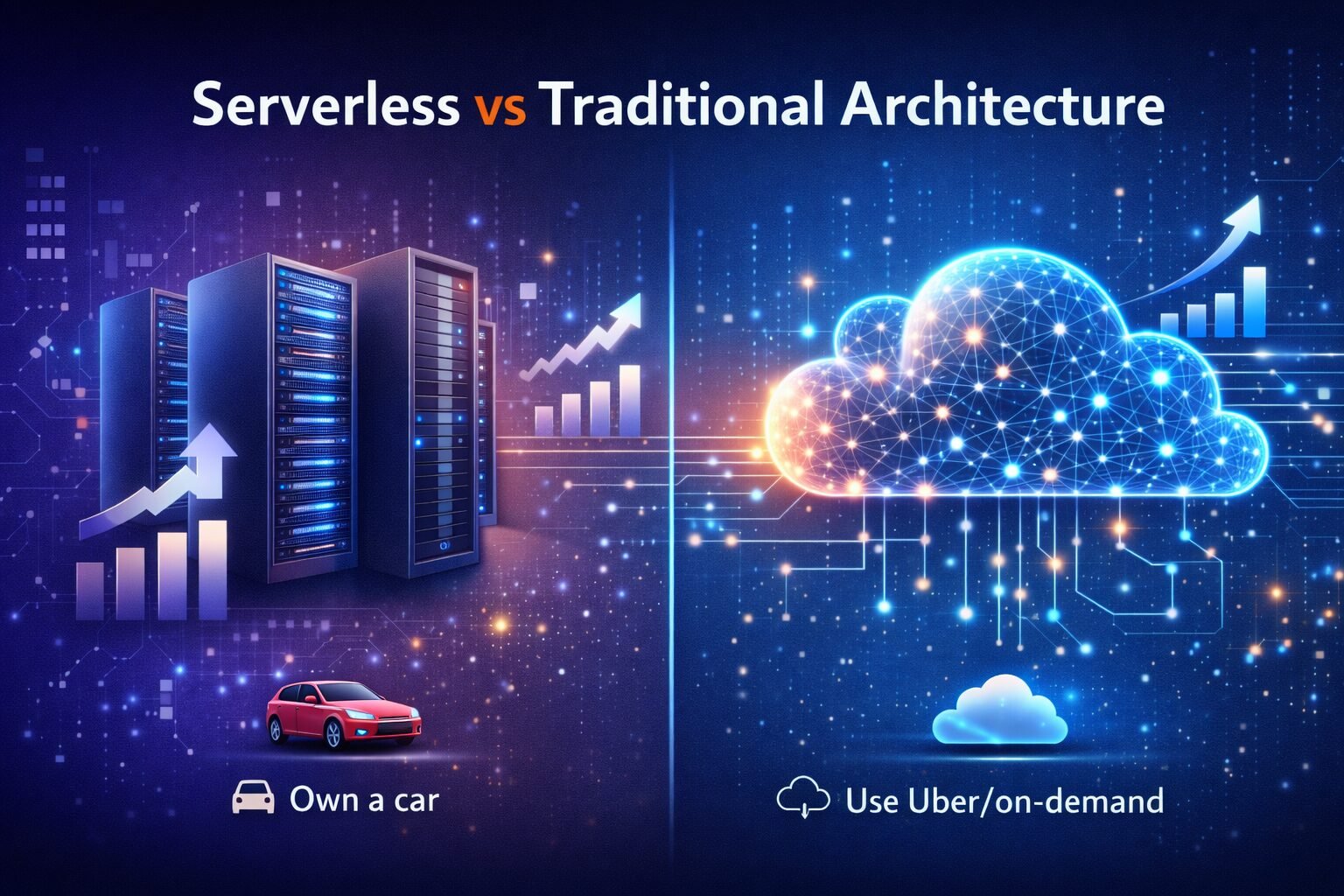
Traditional Architecture — The “Own a Car” Model
Traditional architecture (or server‑based) means you rent or buy a server (physical or virtual) and you manage everything yourself. You choose the operating system, install software, deploy your code, and keep it running. You pay for the server whether it’s busy or idle.
Think of it like owning a car. You buy it, pay insurance, maintenance, and parking — even if you don’t drive it for a week. It’s always there, but you’re responsible for everything. When traffic spikes (like a sudden trip), your single car might not be enough. You could buy another car, but that takes time and money.
Serverless Architecture — The “Ride‑Hailing” Model
Serverless architecture means you just upload your code (as functions), and the cloud provider runs it only when needed. You don’t see, manage, or pay for idle servers. The provider automatically scales from zero to thousands of concurrent executions.
It’s like using a ride‑hailing app. You don’t own a car. You open the app, request a ride when you need one, and pay per trip. No maintenance, no insurance. If suddenly 100 people need rides, the app sends 100 cars instantly. That’s serverless scaling.
Quick Comparison Table
| Aspect | Traditional (VM) | Serverless (Lambda/Cloud Run) |
| Cost Model | Pay for idle time (server runs 24/7) | Pay only when code runs (per request) |
| Scaling | Manual or auto-scaling groups (slow) | Automatic, instant, massive scale |
| Maintenance | You do OS updates, patches, monitoring | Provider handles everything |
| Cold Starts? | No — server always “warm” | Yes — first request after idle can be slow |
| Max Execution | Unlimited (long-running tasks OK) | Limited (e.g., 15 mins for Lambda) |
Serverless — Pros and Cons (From My Messy Experience)
Pros:
-
No server management: I never log into a server anymore. My weekends are free.
-
Automatic scaling: The bakery app handled the Eid rush without a single crash.
-
Pay only for what you use: For side projects, I pay literally PKR 5-10 a month.
Cons:
-
Cold starts: One of my functions was rarely used. When called after an hour of silence, it took 3 seconds to respond. That user left.
-
Execution limits: AWS Lambda has a 15‑minute max. I had a 30-minute data job that I had to move back to a VM.
-
Vendor lock-in: Moving from AWS to Google Cloud often requires rewriting platform-specific code.
Real‑Life Use Cases — When to Use What
Choose Serverless when:
-
Unpredictable traffic: Perfect for a cricket score update site during PSL (Pakistan Super League) — bursts of traffic, then silence.
-
Prototypes or MVPs: I built a WhatsApp chatbot for a friend’s travel agency using Google Cloud Functions. Cost? PKR 0 until he got paying customers.
-
Event-driven tasks: Resizing images after an upload or sending a welcome email.
Choose Traditional (VMs) when:
-
Steady, high traffic: A popular e‑commerce site with 10,000 visitors every hour is often cheaper on a few dedicated VMs than serverless.
-
Long-running processes: Video encoding or large data exports that take over 15 minutes.
-
Legacy applications: Moving a massive, old monolithic app to serverless is usually more trouble than it’s worth.
The Hybrid Approach (What Smart People Do)
You don’t have to pick one. Most real‑world apps use both. For example, my consulting website runs on a cheap VM (predictable traffic), but I use a serverless function to handle contact form submissions. It costs me about PKR 2/month. Best of both worlds.
My Advice for Beginners
-
Start with Serverless for new projects. It’s easier and cheaper for low traffic. Use AWS Lambda or Google Cloud Functions.
-
Always set up billing alerts. I once left a Lambda function with an infinite loop — it ran 2 million times in a day. The bill was PKR 15,000. Set alerts at PKR 100 and PKR 500!
-
Learn both. Spend a weekend deploying a simple API on Lambda, then another on a VM. (Start with Cloud Computing Basics if you’re new.)
Final Verdict
Stop asking “which is better?” Ask “which is better for my specific situation?” The bakery app is now on serverless and hasn’t crashed since. But for a high-traffic store with steady sales, I still recommend a traditional setup to keep costs predictable.

We have experienced article publishers with a strong background in digital media, SEO writing, and content strategy. Skilled in creating engaging, well-researched, and reader-focused articles that drive traffic and build authority. Passionate about delivering high-quality content across diverse niches, maintaining editorial standards, and optimizing every piece for maximum reach and impact.